

Launch Fast
Start from a ready template and deploy in minutes.
Add Model Keys
Add your model provider keys in Agencii Secrets Vault.
Persistent Runtime
OpenClaw state is stored under
/mnt/openclaw so it survives restarts.Start Here
OpenClaw Starter Template
Create your repo from this template.
Platform Overview
Learn how Agencii deploys and hosts your agent repository.
Before You Begin
Before you start, make sure you have:- An Agencii account
- A GitHub account
- Model provider keys in Agencii Secrets Vault
Deploy OpenClaw On Agencii
Create your repository
Open agency-ai-solutions/openclaw-starter-template.Click Use this template and create your own repository.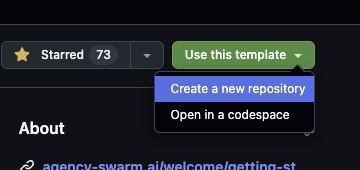
Connect the repository in Agencii
In Agencii, connect your GitHub account, then select the repository you created from the template.
Add model credentials
This step is for your Agencii deployment environment.
Add provider keys in Agencii Secrets Vault, then attach those secrets as environment variables in the deployment settings.Common keys:
OPENAI_API_KEYANTHROPIC_API_KEY
Deploy
Start deployment and wait for the build to complete.
Agencii builds and runs the repository automatically.
Architecture On Agencii
Customize Your Assistant (OpenClaw Basics)
OpenClaw already has a built-in way to customize instructions. You do not need to invent a new format. On first start, OpenClaw creates starter files in its workspace. On Agencii, that workspace lives at/mnt/openclaw/.openclaw/workspace.
This path is expected:
/mnt/openclawis the runtime path inside the project.- In the full sandbox filesystem, this maps to
/app/mnt/openclaw. .openclaw/workspaceis OpenClaw’s standard workspace layout inside that root.
- Open your deployed agent
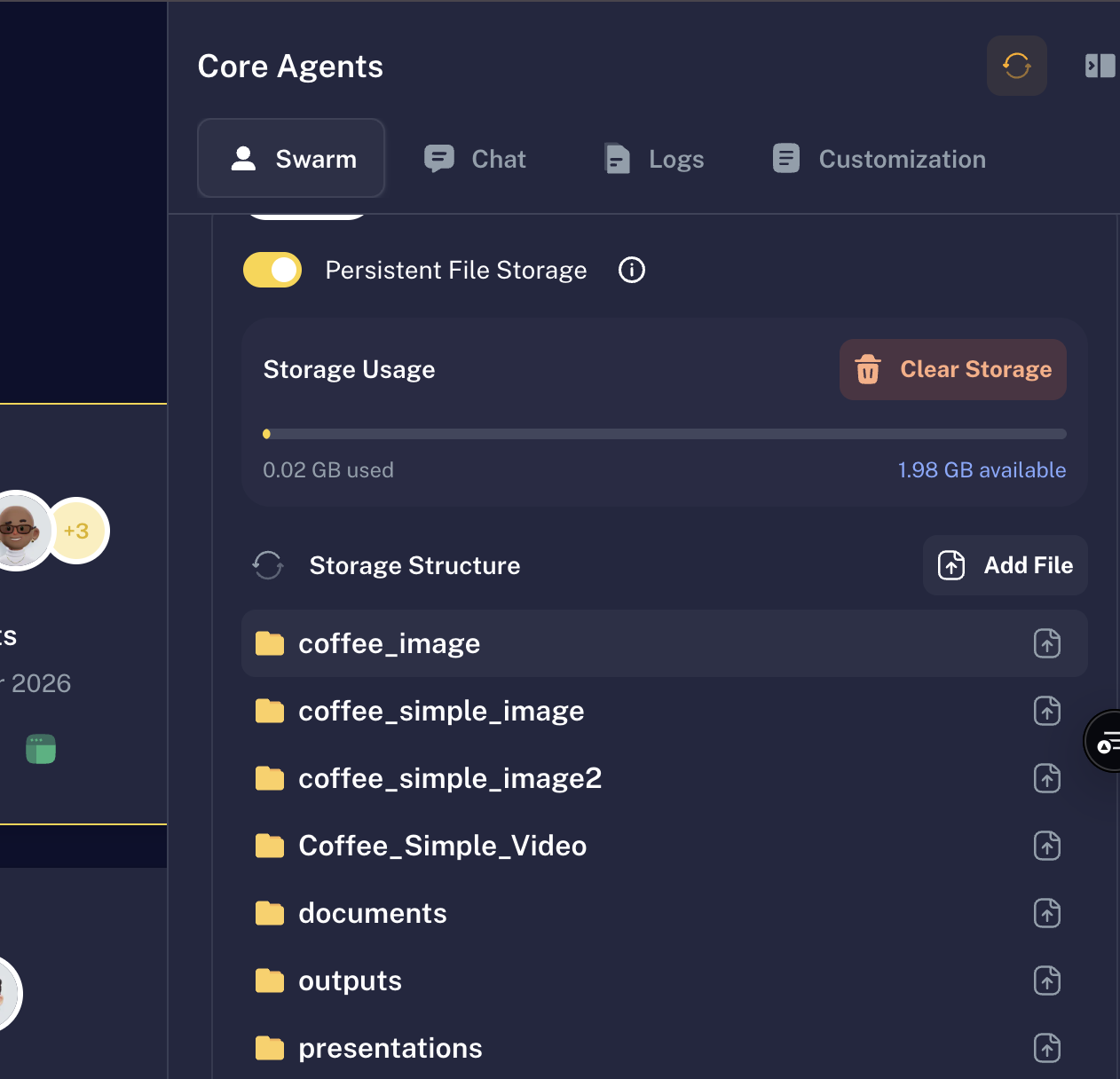
- Go to Customization -> Persistent File Storage
- Navigate to
/mnt/openclaw/.openclaw/workspace - Upload replacement versions of the files you want to change (for example
AGENTS.mdandSOUL.md)
AGENTS.md: main operating rules and prioritiesSOUL.md: personality, tone, and boundariesUSER.md: who you are and how the agent should speak to youIDENTITY.md: assistant name and identity styleTOOLS.md: tool usage notes and conventionsHEARTBEAT.md: optional checklist for proactive heartbeat runsBOOTSTRAP.md: one-time first-run ritual file for a brand-new workspaceMEMORY.mdandmemory/*.md: long-term and daily memory notes
SOUL.md absolutely affects behavior. When you replace it, OpenClaw uses the new persona guidance in future runs.
How instructions combine:
- Onboarding instructions and workspace files are both used.
- They are combined, not auto-merged intelligently.
- If they conflict, responses can feel inconsistent, so keep them aligned.
- Start with
AGENTS.mdandSOUL.md. - Keep both files short and clear.
- Put stable preferences in
USER.mdand durable facts inMEMORY.md.
What You Get After Deploy
- A deployable OpenClaw-based agency on Agencii
- You chat in your normal Agencii workspace UI
- Persistent OpenClaw files under
/mnt/openclaw - Your own isolated runtime and data directory
Keys And Security
Add provider API keys in Agencii deployment secrets. Do not collect raw API keys in onboarding forms.If Something Is Not Working
- Agent does not respond:
- re-check provider keys in Agencii deployment secrets, then try again
- Deployment succeeds but responses fail:
- open deployment logs in Agencii, then redeploy
- Data does not persist between restarts:
- check that
/mntis mounted and writable in your runtime
- check that