> ## Documentation Index
> Fetch the complete documentation index at: https://agency-swarm.ai/llms.txt
> Use this file to discover all available pages before exploring further.
# Agent Swarm TUI
> Start the terminal UI with the main npx launcher, then expand optional sections only if you need them.
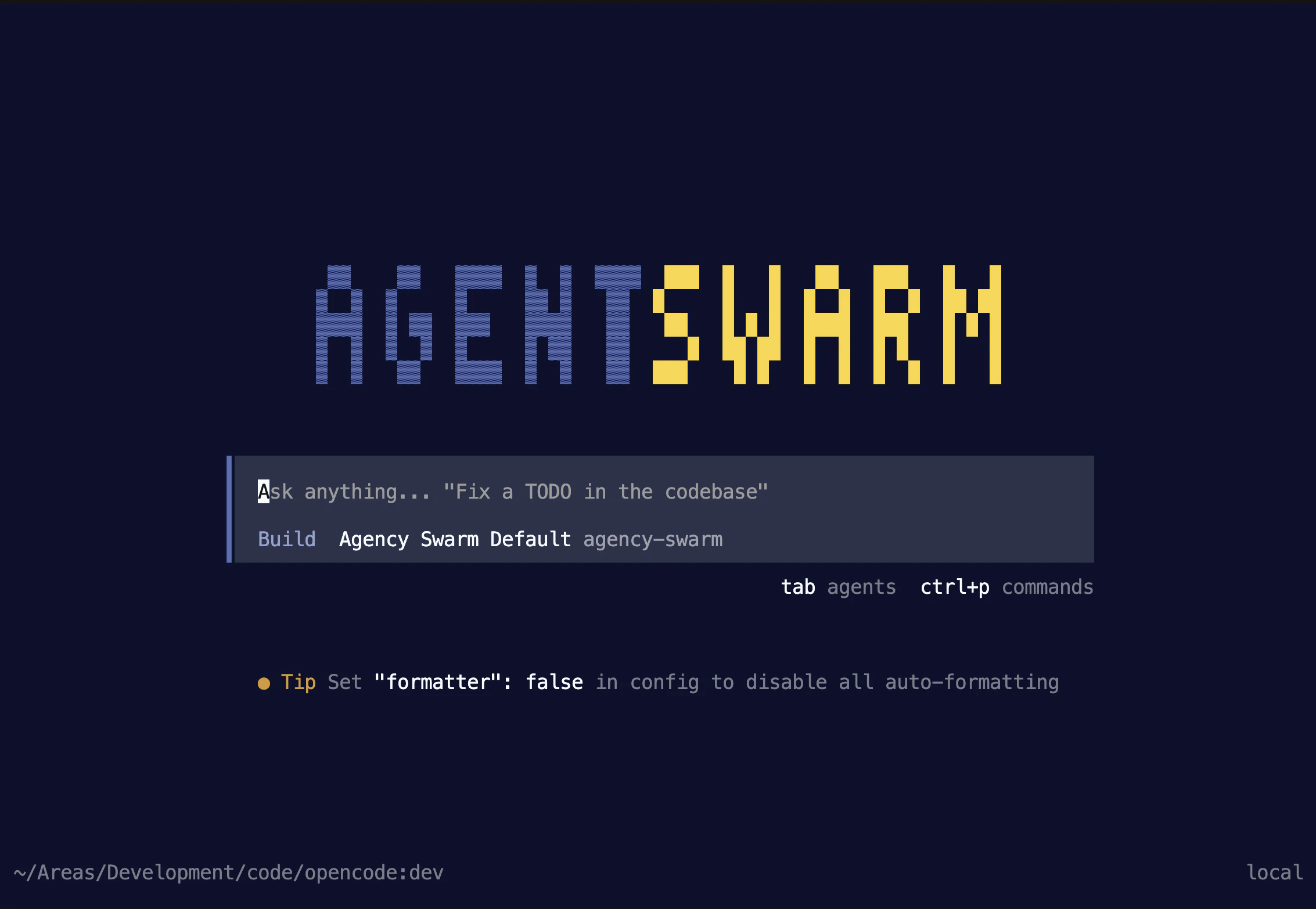
Agent Swarm TUI is the terminal UI for Agency Swarm.
Use it when you want to build or test your Agency Swarm project in the terminal.
## Start the TUI
For most users, the right way to start is:
```bash theme={null}
npx @vrsen/agentswarm
```
This is the main launch path. It handles first-run setup, helps you choose or create an agency, and then opens the terminal UI.
Run it from your project root. If you are starting fresh, run it in a new empty folder.
You do not need to install the TUI globally first.
 ## Before You Start
Make sure you have:
* Node.js 20 or newer so `npx` is available
* Python 3.12 or newer available for Agency Swarm projects
* a model provider credential if you want to send prompts right away, or you can add it later with `/auth`
* an existing agency project, or a starting point from [From Scratch](/welcome/getting-started/from-scratch) or the [Starter Template](/welcome/getting-started/starter-template)
## What Happens on First Launch
On first launch, you will usually see this flow:
Start with `npx @vrsen/agentswarm`.
The launcher can reuse the current Agency Swarm project, create a starter project, or connect to an agency that is already running.
The launcher checks for a project `.venv`. If it needs to create one, it asks first and then installs the project dependencies before opening the TUI.
The TUI opens for the agency you selected during onboarding. If you do not already have a usable model provider configured, use `/auth`.
This is the path we recommend for onboarding, videos, and first-time users.
## What You Can Do in the TUI
Once the TUI is running, you get:
* a keyboard-first terminal workflow
* session history, export, and `/compact`
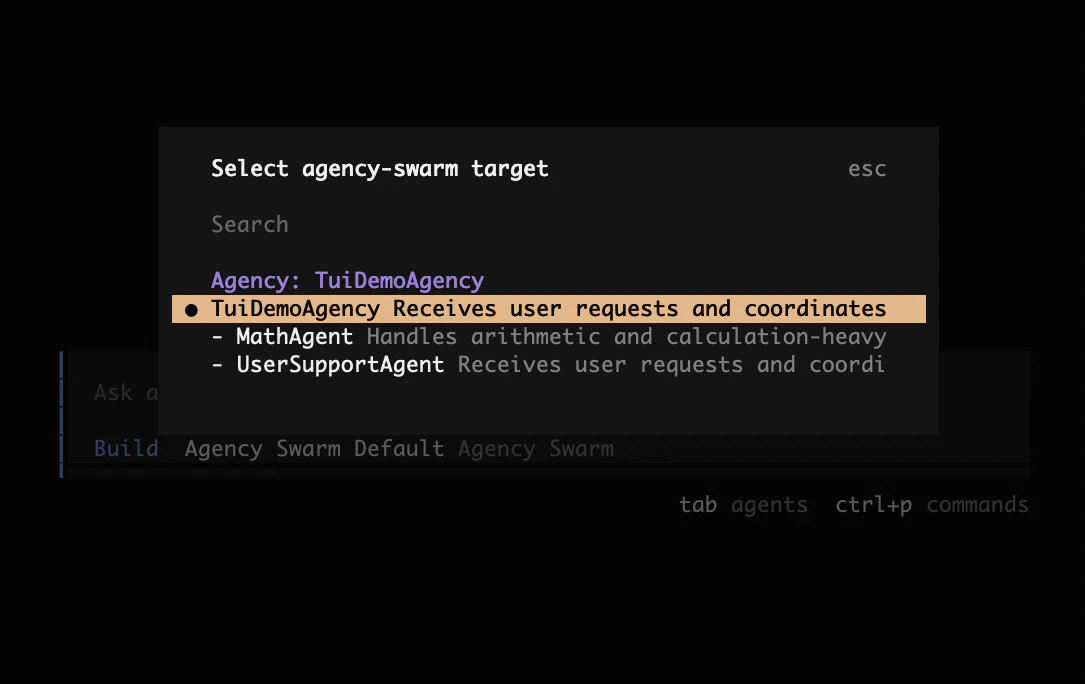
* `/agents` to switch between Plan, Build, and Run, and to pick which swarm or agent gets your next prompt
* `@AgentName` mentions to route a prompt to a specific top-level agent
* `@` file and resource references when you start from a local project
* `Tab` autocomplete for both agent mentions and file and resource references
## Before You Start
Make sure you have:
* Node.js 20 or newer so `npx` is available
* Python 3.12 or newer available for Agency Swarm projects
* a model provider credential if you want to send prompts right away, or you can add it later with `/auth`
* an existing agency project, or a starting point from [From Scratch](/welcome/getting-started/from-scratch) or the [Starter Template](/welcome/getting-started/starter-template)
## What Happens on First Launch
On first launch, you will usually see this flow:
Start with `npx @vrsen/agentswarm`.
The launcher can reuse the current Agency Swarm project, create a starter project, or connect to an agency that is already running.
The launcher checks for a project `.venv`. If it needs to create one, it asks first and then installs the project dependencies before opening the TUI.
The TUI opens for the agency you selected during onboarding. If you do not already have a usable model provider configured, use `/auth`.
This is the path we recommend for onboarding, videos, and first-time users.
## What You Can Do in the TUI
Once the TUI is running, you get:
* a keyboard-first terminal workflow
* session history, export, and `/compact`
* `/agents` to switch between Plan, Build, and Run, and to pick which swarm or agent gets your next prompt
* `@AgentName` mentions to route a prompt to a specific top-level agent
* `@` file and resource references when you start from a local project
* `Tab` autocomplete for both agent mentions and file and resource references
 ### Plan, Build, and Run
`/agents` switches between three modes:
* **Plan** designs changes to your agency with the Agent Builder before any files change.
* **Build** implements those changes in your project files with the Agent Builder. Plan and Build work without a running Agency Swarm server.
* **Run** sends your prompts to your live agency through the Agency Swarm server.
Press `Tab` to toggle between Plan and Build, or to cycle through swarm targets while in Run.
Returning to Run after a Build session restarts the local server from your current project files and refreshes dependencies from your manifest, without upgrading packages that already satisfy it. If the agency fails to start, the full error stays visible in `/agents` so you can fix it in Build and retry.
## Optional Paths
If this is your first run, you can ignore everything below.
Use the same `npx @vrsen/agentswarm` command, then choose **Connect to a running Agent Swarm** during onboarding. Inside the TUI, the same flow is available as `/connect`.
The launcher asks for:
1. the Agency Swarm server URL
2. whether the server needs a bearer token
3. the agency id, if automatic discovery does not already find it
Use it when:
* a local Agency Swarm server is already running
* you want to connect to a remote Agency Swarm server
* the server is protected and needs a bearer token
Current limitations for this path:
* `/models` does not switch the models configured inside your Agency Swarm backend yet
* local file tools are not available; if you want the TUI to work directly on project files, start with `npx @vrsen/agentswarm` from that project directory instead
Use your Python config to choose backend models and providers.
If your project already launches from Python, `agency.tui()` still works as the secondary entrypoint.
```python theme={null}
agency.tui()
```
Then start your project the usual way:
```bash theme={null}
python agency.py
```
This path stays bound to the exact `Agency` instance you passed in Python. It starts the local bridge for that agency, then opens the TUI connected to it.
Use it when your team already starts the project from Python and you want a quick TUI test path without switching directories or changing entrypoints.
`tui(show_reasoning=False)` is not supported in the new TUI yet.
## Related Pages
* [Installation](/welcome/installation)
* [From Scratch](/welcome/getting-started/from-scratch)
* [Third-Party Models](/additional-features/third-party-models)
* [Running an Agency](/core-framework/agencies/running-agency)
* [FastAPI Integration](/additional-features/fastapi-integration)
* [API Reference](/references/api)
### Plan, Build, and Run
`/agents` switches between three modes:
* **Plan** designs changes to your agency with the Agent Builder before any files change.
* **Build** implements those changes in your project files with the Agent Builder. Plan and Build work without a running Agency Swarm server.
* **Run** sends your prompts to your live agency through the Agency Swarm server.
Press `Tab` to toggle between Plan and Build, or to cycle through swarm targets while in Run.
Returning to Run after a Build session restarts the local server from your current project files and refreshes dependencies from your manifest, without upgrading packages that already satisfy it. If the agency fails to start, the full error stays visible in `/agents` so you can fix it in Build and retry.
## Optional Paths
If this is your first run, you can ignore everything below.
Use the same `npx @vrsen/agentswarm` command, then choose **Connect to a running Agent Swarm** during onboarding. Inside the TUI, the same flow is available as `/connect`.
The launcher asks for:
1. the Agency Swarm server URL
2. whether the server needs a bearer token
3. the agency id, if automatic discovery does not already find it
Use it when:
* a local Agency Swarm server is already running
* you want to connect to a remote Agency Swarm server
* the server is protected and needs a bearer token
Current limitations for this path:
* `/models` does not switch the models configured inside your Agency Swarm backend yet
* local file tools are not available; if you want the TUI to work directly on project files, start with `npx @vrsen/agentswarm` from that project directory instead
Use your Python config to choose backend models and providers.
If your project already launches from Python, `agency.tui()` still works as the secondary entrypoint.
```python theme={null}
agency.tui()
```
Then start your project the usual way:
```bash theme={null}
python agency.py
```
This path stays bound to the exact `Agency` instance you passed in Python. It starts the local bridge for that agency, then opens the TUI connected to it.
Use it when your team already starts the project from Python and you want a quick TUI test path without switching directories or changing entrypoints.
`tui(show_reasoning=False)` is not supported in the new TUI yet.
## Related Pages
* [Installation](/welcome/installation)
* [From Scratch](/welcome/getting-started/from-scratch)
* [Third-Party Models](/additional-features/third-party-models)
* [Running an Agency](/core-framework/agencies/running-agency)
* [FastAPI Integration](/additional-features/fastapi-integration)
* [API Reference](/references/api)